Defendify
Cybersecurity was complicated, so business owners pieced it together themselves.
I designed Defendify as the one platform a business owner needed, not another disconnected tool added to an already fragmented stack.
Platform Architecture
Dashboard Design
Design Systems
UX Research
B2B SaaS
Brand Identity
Role
UX/UI/Product Designer
Platform
Web · SaaS dashboard
Scope
Platform security tools · Marketing web
Team
Stakeholders · engineering · marketing team
Timeline
2018–2020
Protecting a small business meant assembling a dozen disconnected tools yourself
The platform meant to be the only cybersecurity tool a business owner needs
Defendify is built for small and midsize organizations without a dedicated security team, and there was no existing system to inherit, just a blank product in a market nobody had made approachable yet. I led the end-to-end product experience from the platform foundation through MVP and beyond, and the earliest version still could not answer the one question everyone opened it to ask.
Small and midsize organizations had real risk and no security team
Every tool on the market was built for someone else
No dedicated security staff, no shared vocabulary, no spare time, that was the actual starting point for most of Defendify's audience. Every competing platform still assumed a technical background, complex dashboards, abstract scoring, deep configuration layers, and cybersecurity felt built for somebody else's job, not theirs.
I was completely overwhelmed by the complexity of the cybersecurity solutions available... I felt lost trying to compare different products.
— Compliance officer, Defendify user research
I ran moderated interviews with 7 users: IT managers, business owners, a network admin
The real gap was confidence
Getting protected meant pushy vendors, endless onboarding, and admin hell before anyone saw a straight answer. None of the seven people in that research needed more data, they needed plain language, a clear next step, and a reason to trust what they were being told.
IT Manager / Director
2
IT Support Specialist
1
Business Owner / Entrepreneur
3
Network Administrator
1
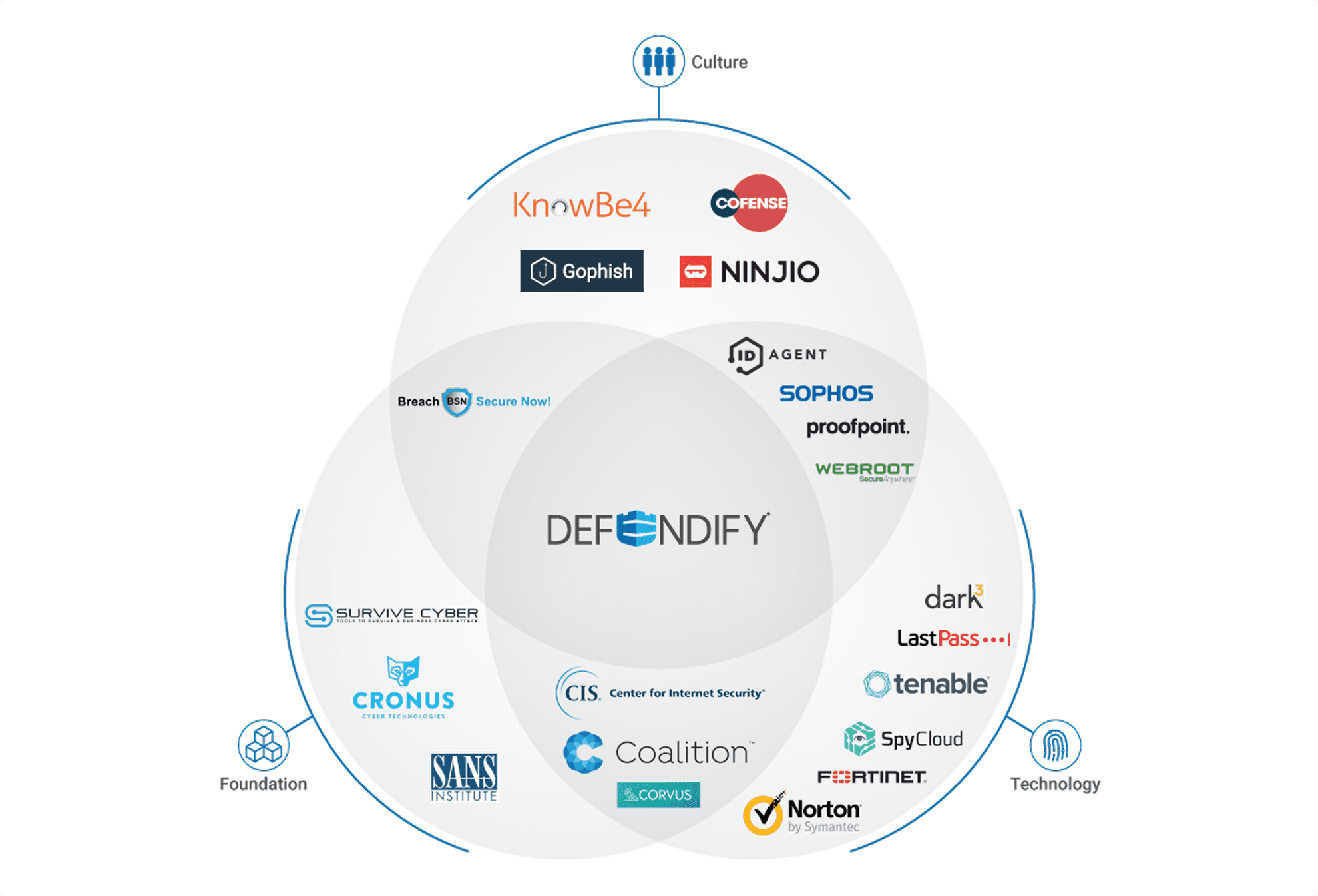
I mapped the competitive landscape: three lanes, almost no overlap
Defendify was built to sit at the center all three competitors were missing
Every competitor split into a single lane, Culture, Technology, or Foundation, and almost nobody occupied the center. I organized Defendify's own tools into that same three-layer structure and built the platform to claim the ground competitors had left open.
One platform. Not just another tool in the stack.
Two blank buttons became five scorecards with an actual status
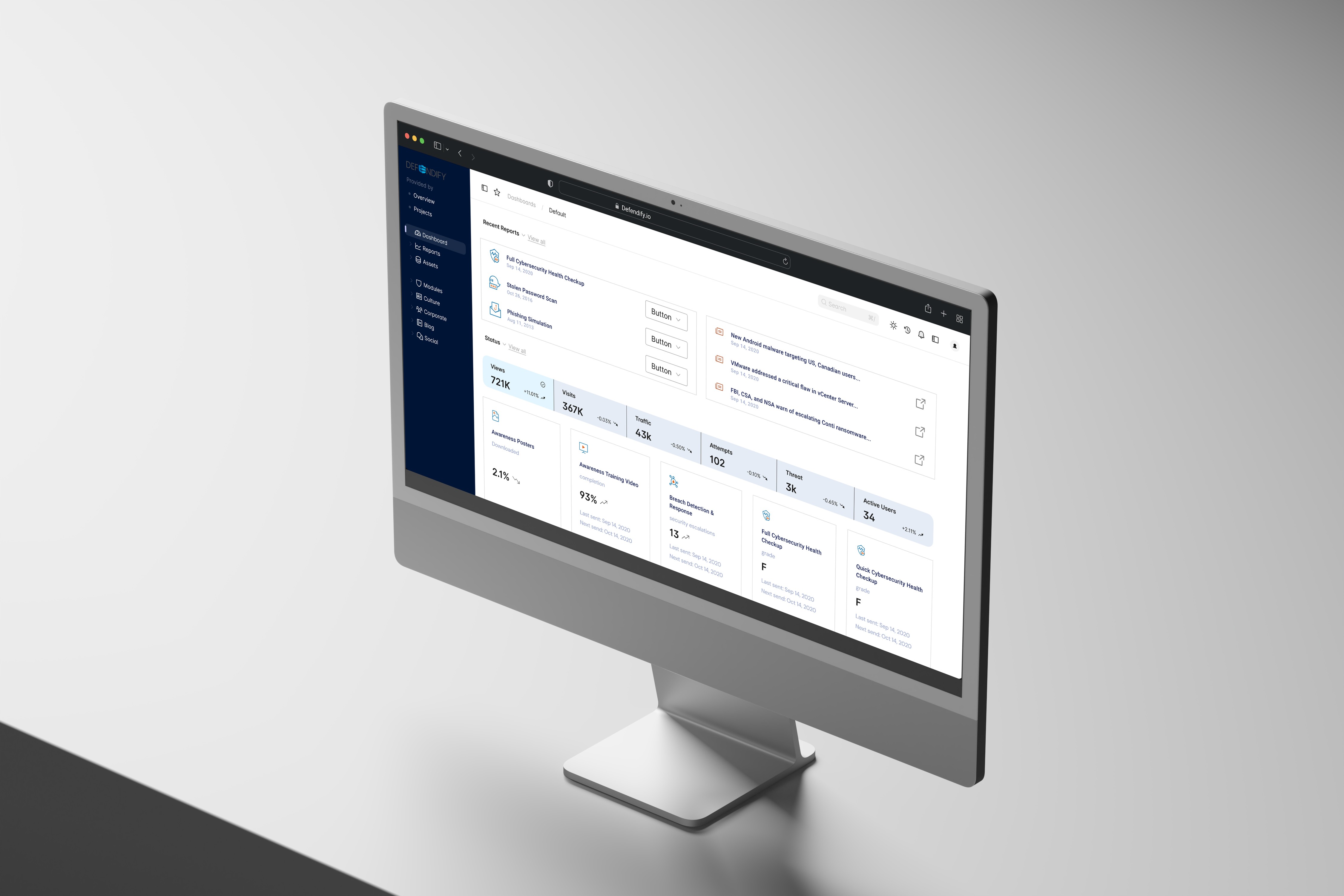
I turned it into a guided control center with one clear status per category
I designed the Cybersecurity Health Checkup as a set of category scorecards, General Health, Technology, Physical, Data, each showing its own state and rolling into a single overall status. A clean palette and a clearer icon system carried that same shift across the whole screen. The two buttons that used to say Not Started became five cards that said something specific.
Risk assessments are usually long, technical, and built to test you
I made it conversational: one question, context, and a place to stop
A visible stepper counts across eight steps, each question resolving to a plain Yes, No, or Not Sure, with breakpoints to save and come back later instead of a form that felt like an audit. Users described it, in their own words, as feeling "like being walked through it, instead of tested."

Every new tool risked inventing its own visual language
I built a shared component system so the platform stayed one product
I developed the core icon system first, then expanded it into reusable components for navigation, cards, alerts, and progress indicators. Every tool added after that point looked like it belonged to the same platform, and by thirteen tools, everything still traced back to the same system.

The brand had to hold up everywhere, not just on screen
I extended the same visual system to every touchpoint that wasn't the product
Booth materials, merch, social graphics, and sales collateral all ran on the same visual system as the product, from a TechCrunch Disrupt backdrop to the A+ icon on a social post that echoes the dashboard's own scorecard. I spotted that same backdrop in a LinkedIn post earlier this year, still circulating six years after I'd left the company. The brand held up off the screen because it was never designed as a separate thing from the product.
One label change proved the whole approach
Renaming "Risk Management Audit" to "Quick Risk Check" moved conversion on its own
Defendify launched from an early build through MVP and a 1.0 release, earning multiple industry awards for innovation and usability along the way. The clearest proof came from something small: renaming an assessment from "Risk Management Audit" to "Quick Risk Check" measurably improved completion, the words scared people off as much as the workflow ever did.
This is the first time cybersecurity made sense to me.
— Small Business Owner
Closing
I had to make competence feel approachable without making the danger feel smaller than it was
That tension sat underneath the scorecard, the assessment, and the icon system alike. This project is proof that guiding someone to confidence is a legitimate design outcome in its own right.